ChatGPT vs Gemini for AI Photo Prompts (2026): Which Is Better?
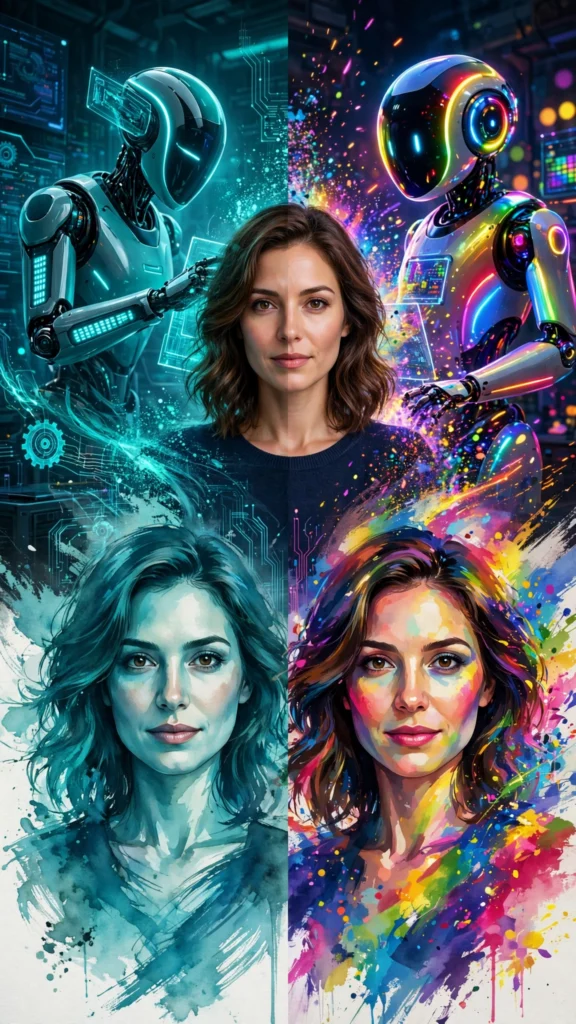
Ask ten people which AI tool makes better photos and you will get ten different answers. The honest truth is that ChatGPT and Gemini are both excellent at turning a written prompt and your photo into a stylized image — but they shine at different things. If you have ever pasted the same prompt into both and wondered why the results look nothing alike, this guide explains exactly what is happening, and helps you pick the right tool for the photo you want.
If you are new to this, an AI photo prompt is simply a written instruction describing the style, lighting, pose and mood you want. You attach your photo, paste the prompt, and the AI restyles the image around it. The tool you paste it into matters more than most people think.
The short answer
For most people making AI photos in 2026: use Gemini when you want fast, free edits that keep your face looking like you — especially selfies and realistic styles. Use ChatGPT when you want richly detailed, artistic or cinematic scenes where the prompt carries lots of specific visual instructions. There is no single winner; there is a right tool for each job.
How each tool generates images
ChatGPT creates images with OpenAI’s dedicated image model, built into the ChatGPT app and website. You describe what you want in the same conversation where you chat, attach a photo, and it generates or edits the image. It is known for carefully following long, detailed instructions — the more specific your prompt, the harder it tries to honor every detail.
Gemini generates and edits images with Google’s native image model (often called Nano Banana), built into the Gemini app. Its standout trait is character consistency: it is unusually good at keeping the same person’s face, hairstyle and identity across edits and multiple images — which is exactly what you want when the photo is supposed to be you.
Head-to-head: five things that actually matter
1. Image quality and realism
Both tools produce sharp, high-resolution images that look great on a phone screen. ChatGPT tends to render richer textures — fabric, skin detail, background depth — which makes its cinematic and fantasy styles look expensive. Gemini’s output is cleaner and slightly more photographic in everyday styles like selfies and portraits, though it can look a touch flat in very complex scenes.
2. Face preservation — the big one
This is where most people feel the difference. Gemini is the stronger face-keeper: attach a clear photo and it usually returns a face that is recognizably yours, even after dramatic style changes. ChatGPT is capable of the same, but it drifts more often — especially when the prompt describes heavy stylization. If keeping your identity matters, Gemini is the safer default. Whichever tool you use, adding an explicit face-lock line to your prompt helps a lot, as we explain in our face-lock guide.
3. Following your prompt
ChatGPT wins here. Give it a long prompt with five specific details — golden hour light, mustard field, red silk saree, wind in the hair, film grain — and it will try to include all five. That is why complex, art-directed prompts like our golden-hour saree portrait often land closer to the vision in ChatGPT. Gemini sometimes simplifies: it nails the overall vibe but may drop a detail or two.
4. Free limits
Both tools offer free image generation, but the exact limits change often — daily caps, queue times and feature availability shift as the companies update their plans. As a rule of thumb, Gemini’s free tier has historically been generous for quick edits, while ChatGPT’s free tier gives you a smaller number of image generations per day. Do not plan around a specific number you read online; check the current limits inside each app before a big editing session. If you hit a wall in one tool, the other is your backup.
5. Speed
Gemini is noticeably faster for single-image edits — often done in seconds. ChatGPT takes longer per image, especially for detailed generations, but the extra seconds buy you that finer prompt-following.
The verdict, side by side
| ChatGPT | Gemini | |
|---|---|---|
| Image detail | Excellent — rich textures | Very good — clean, photographic |
| Face preservation | Good, drifts on heavy styles | Excellent — best in class |
| Prompt following | Excellent with long prompts | Good, may simplify details |
| Free tier | Limited daily generations | Generally generous (limits change) |
| Speed | Slower per image | Fast |
Which tool should you pick?
Pick Gemini if…
- Your top priority is looking like yourself — selfies, DPs, portraits.
- You want fast results and plenty of free tries.
- Your prompts are short and vibe-based rather than hyper-detailed.
- You are editing on your phone and want it done in seconds.
Pick ChatGPT if…
- Your prompt is long and specific, with lighting, wardrobe and background details.
- You are going for cinematic, fantasy or highly art-directed styles.
- You want the tool to follow every instruction literally.
- You do not mind waiting a little longer per image.
Prompt tips that work in both tools
- Attach one clear, front-facing photo with good lighting — the AI can only preserve what it can see.
- Add a face-lock line: “Keep the exact same face, facial features and identity as the uploaded photo.”
- Describe one change at a time when testing; stack details only after the base look works.
- Name the lighting (“soft window light”, “golden hour”) — it is the single biggest realism lever.
- If the first result is off, adjust one element and regenerate instead of rewriting everything.
Every prompt in our prompt library is written to work in both tools, so you can copy once and try it wherever you like.
FAQ
Can I use the same prompt in ChatGPT and Gemini?
Yes. A well-written prompt works in both — that is how every prompt in our library is designed. Expect small differences: ChatGPT may follow details more literally, Gemini may keep your face more consistent. Try the same prompt in both and keep the result you like.
Which is better for couple photos?
Gemini’s face consistency helps when two faces need preserving, so it is the safer pick for couple portraits. For dramatic cinematic couple scenes with lots of direction, ChatGPT’s prompt-following can produce the richer image. Test both with your photo.
Do I need paid plans for good results?
No. The free tiers of both tools produce excellent AI photos. Paid plans mainly buy you higher limits, faster queues and priority access — not better-looking faces. Start free and upgrade only if you constantly hit limits.
Why does the same prompt give different results each time?
Image models have randomness built in — each generation is a fresh roll of the dice. That is normal. If you love a result, save it; you will not get the pixel-identical image twice. Regenerating two or three times and picking the best is standard practice.
Which tool is better for artistic styles like Ghibli or anime?
ChatGPT usually renders stylized, painterly looks with more texture and detail. Gemini handles them well too, but its strength is realism and identity. For a Studio Ghibli-style portrait, try ChatGPT first; for a realistic aesthetic selfie, try Gemini first.
- ChatGPT — OpenAI’s AI assistant with image generation
- Google Gemini — Google’s AI assistant with native image editing